




Sonos: Music Throughout Your House, Wirelessly

SPOT MORE COOL STUFF:
Best of Spot Cool Stuff | Home Audio
| All Tech & Gadget Reviews

You are hosting a cocktail party and want music—the same music—playing in your living room, your dining room and your outside patio. You want to control your music from a single source but don’t want to run wires all over your house.
The Sonos Multi-Room Music System is exactly what you are looking for.
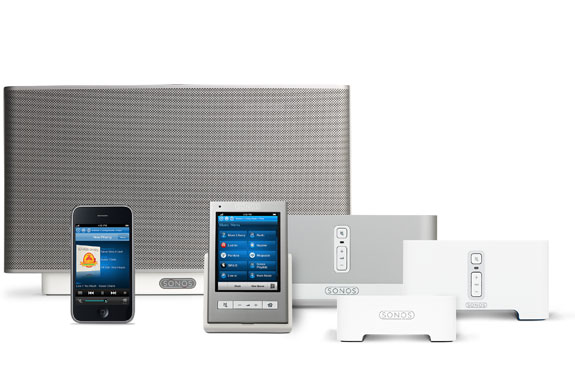
Sonos is a modular system that creates a wireless network linking multiple speakers with multiple audio sources. With Sonos you can play a CD or an MP3 or stream internet radio and listen on any, or all, of the network’s speakers.
At least you can theoretically. As will all products we test, Spot Cool Stuff started out skeptical of the Sonos system; we were especially dubious of Sonos’ claim that this complicated-sounding speaker network would be easy to set up. Here’s what we found:

How Sonos Works—Part I: The Speakers
The Sonos wireless network is based around ZonePlayers. In any room you’d like to listen to music you’ll need one of these ZonePlayers. There are three types to choose from:
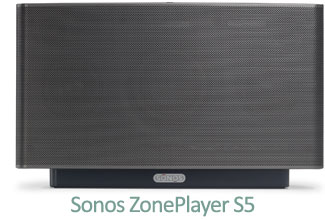

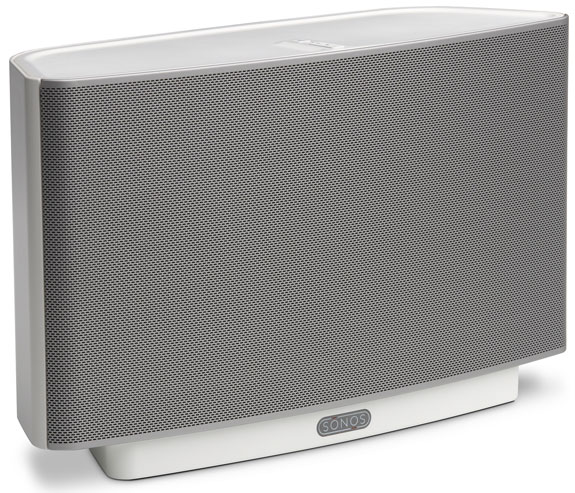
The S5 is essentially a Sonos-compatible high quality wireless speaker. Or, technically, speakers. Within a single S5 unit there are 2 tweeters, 2 mid-range drivers and 1 subwoofer each independently powered by a digital amplifier. The sound production is very clear at low and medium volumes though the clarity fades as you blast the tunes. Those holding massive rave parties should use alternative speakers. All others are likely to be thrilled by the S5.
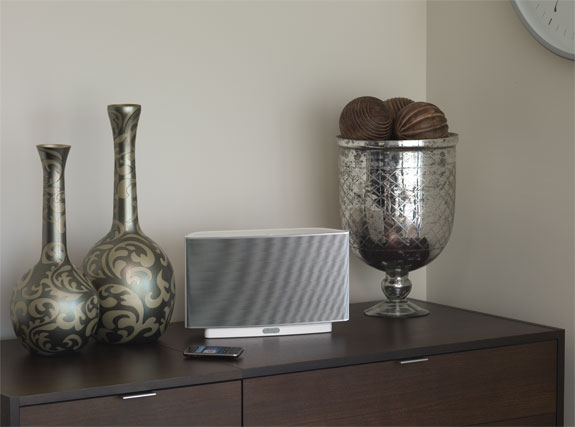
The best feature of the S5: Because it is a speaker and ZonePlayer all-in-one you can listen to quality sound anywhere around your house that you place it. Move the S5 out on your patio when hanging there, then move it back up to your bedroom.
The S5 is available with a black or white base.
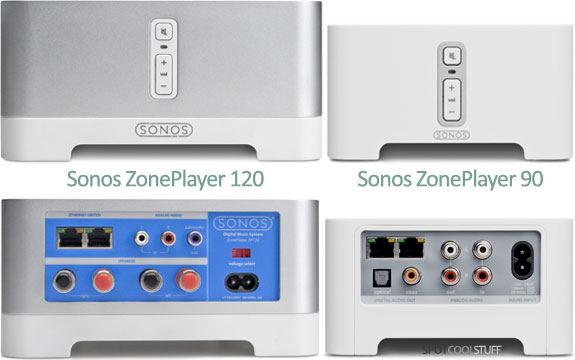
The ZP 120 has a class-D, 110W amplifier (really, 2 x 55W amps) into which you can plug virtually any pair of speakers. There’s also a subwoofer output, an analog input (for an iPod or TV, for example) and a two-port ethernet switch.
The ZP 90 is similar to the ZP 120 (above) except it is slightly smaller and—crucially—doesn’t have a built in amplifier. So, you’ll need the ZP 120 to connect a pair of unpowered stand-alone speakers; the ZP90 is for a stereo receiver or high-end clock radio or any other set of speakers with their own power source.
How Sonos Works—Part II: The Controllers
Once your speakers and audio sources are connected to your ZonePlayers your wireless music network is set. Anything you can play on one of your speakers (eg. a CD, tape, TV, radio) or stream digitally (eg. an MP3, internet radio) you can play wirelessly via your Sonos network. And you aren’t stuck with only one choice. The Sonos Multi-Room Music System is flexible enough to let you play Bach in your bathroom while putting the BBC news on your kitchen speakers.
How do you control what music plays where? There are three, not mutually exclusive, options.
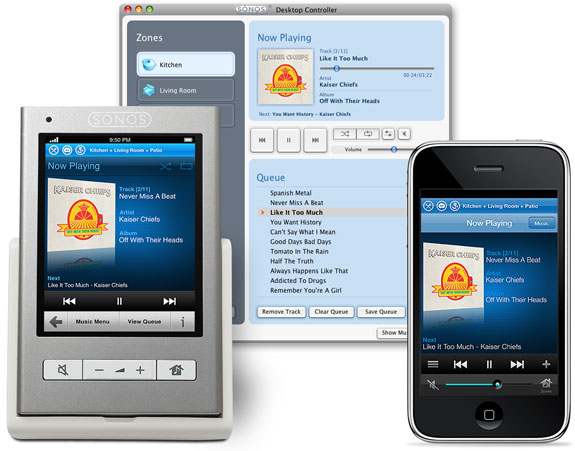
Two of those options work with devices you may already have: 1) a Mac or PC computer via software; 2) an iPod touch, iPhone or iPad via an app. Both the software and app are free.
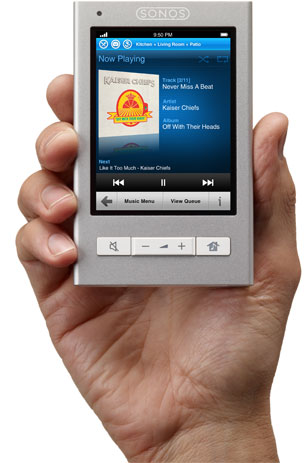
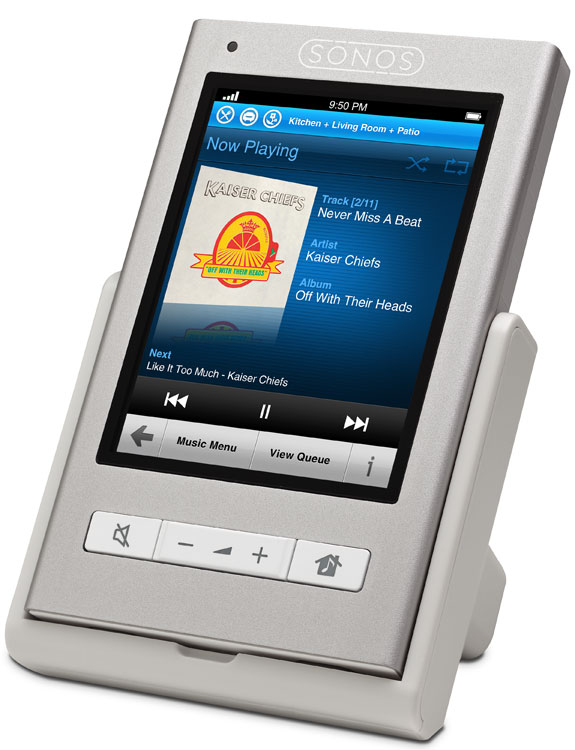
The third option is the most expensive, but also the most cool: The Sonos Controller 200.
With a Sonos CR 200 you can do more than select music tracks, choose speakers and change the volume. The controller syncs with free online music services such as Last.fm and Pandora and pay services like Napster, Rhapsody and Sirus Satellite radio. And with it you can surf over 15,000 (!) free online radio stations.
The controller itself features a 3.5″ touchscreen and dedicated volume, mute and zone buttons. It turns on instantly, updates automatically (via the ‘net) and lasts 2 to 5 hours between charges. The CR 200 isn’t quite as cool-looking or good-feeling as, say, an iPad but it is intuitive and easy-to-use.
Pros, Cons and Our Verdict
By far the largest downside to the Sonos Multi-Room Music System is the cost, especially if you require many ZonePlayers to fill your house. The cost can be mitigated somewhat buying a product bundle. The BU250 bundle, which includes a Controller 200, a ZP 200 and a ZP 90, costs roughly 20% less than those components would separately. Through Amazon that bundle will still set you back about US$1000.
Also, you need broadband internet access to make the Sonos system work; one of the ZonePlayers has to be plugged into your router. If you can’t, or don’t want to, plug a ZonePlayer into your router you can buy a Sonos ZoneBridge and plug that in instead. Note that you do NOT need a wifi network. But if you have no broadband internet of any sort then you are screwed (at least Sonos-wise).
Those are our only two complaints. In every other way the Sonos exceeded our expectations.
The whole Multi-Room Music System really is astonishingly easy to set up. Spot Cool Stuff tested out the two-room Sonos BU 250 bundle (mentioned above). It took us exactly 67 minutes to set up our entire system, including the time to simply unpack the components from the box; about 15 minutes of our setup was spent trying to figure out exactly where we wanted to place the ZonePlayers.
For our test we hooked up a pair of the Klipsch RB-51 Bookshelf Speakers (recommended!) to one ZonePlayer and to the other a Shuttle D10 and pair of Logitech Z speakers. It all sounded fantastic! The most impressive aspect was how perfectly synchronized both speakers were. Prior to getting the Sonos system we had jerry rigged our own suboptimal multi-room speaker system by streaming the sound via wifi and an Apple Airport Express. One of the many problems with that system is that one speaker always lagged the other, meaning we had to keep each speaker out of earshot of the other in order to avoid a massive migraine. Not so with the Sonos system.
A few other features of the Sonos Multi-Room Music System we liked:
-
• Both the 120 and 90 ZonePlayers are attractive enough to incorporate into your room decor but, if you’d rather, they are also each small enough to discretely tuck away.
• Works with both Mac and PC. Older versions of the Sonos weren’t fully compatible with iTunes; the current version is.
• Unlike competitor systems, your computer needn’t be turned on to use the Sonos, which can play music off of a CD player, an iPod, or any network-attached storage drive.
• The Sonos has incredible file format support. It works with top quality Apple Lossless, Flac and uncompressed WAV and AIFFFile as well as all the usual suspects (MP3, WMA, AAC, etc.).
• The Sonos software (which is excellent, not incidentally) includes an alarm and sleeper functionality—set music to start playing when you want or have it automatically set off after a set period of time.
• Since the Sonos creates its own wireless network it doesn’t rely on, or occupy any bandwidth space of, your internet router.
 Finally, we are extremely impressed how easily expandable the Sonos system is. Want to incorporate another room into the Sonos system? Simply purchase another ZonePlayer. You can expand the Sonos to work in up to 32 rooms. (If you live in a house in which you need to control the music in more than 32 rooms from one central controller well, then, we’d love to meet you).
Easy set-up, easy expandability, easy-to-use controllers, cool iPhone integration and most of all, fantastic sound—we are no longer skeptical about the Sonos Multi-Room Sound System. The Sonos is worth its hefty price. And we happily give it our Most Excellent rating.
LEARN MORE & BUY | FOLLOW US ON TWITTER |
Purchase locally in: USA | UK | GERMANY | FRANCE
Related posts:
The Bose QuietComfort 15: Our Favorite Noise Canceling Headphones
The Joey Roth Ceramic Speakers
The Best—and Worst—of the Apple iPad
Reviews of the Best Travel Cameras
Free Websites For Discovering New Music

LEARN MORE & BUY | FOLLOW US ON TWITTER
Purchase locally in: USA | UK | GERMANY | FRANCE